How to set up a satisfaction survey
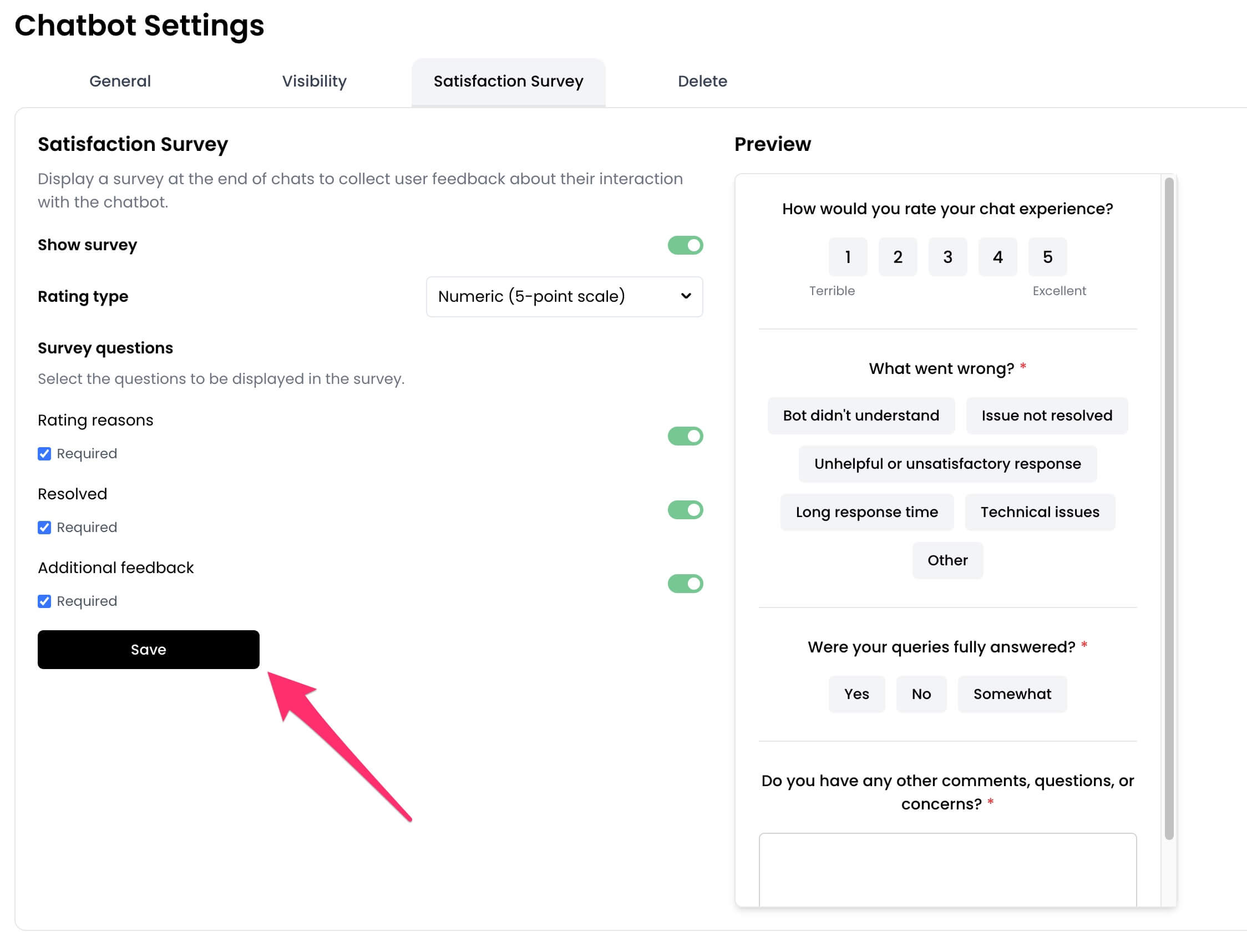
- From the chatbot dashboard, go to
Settings.

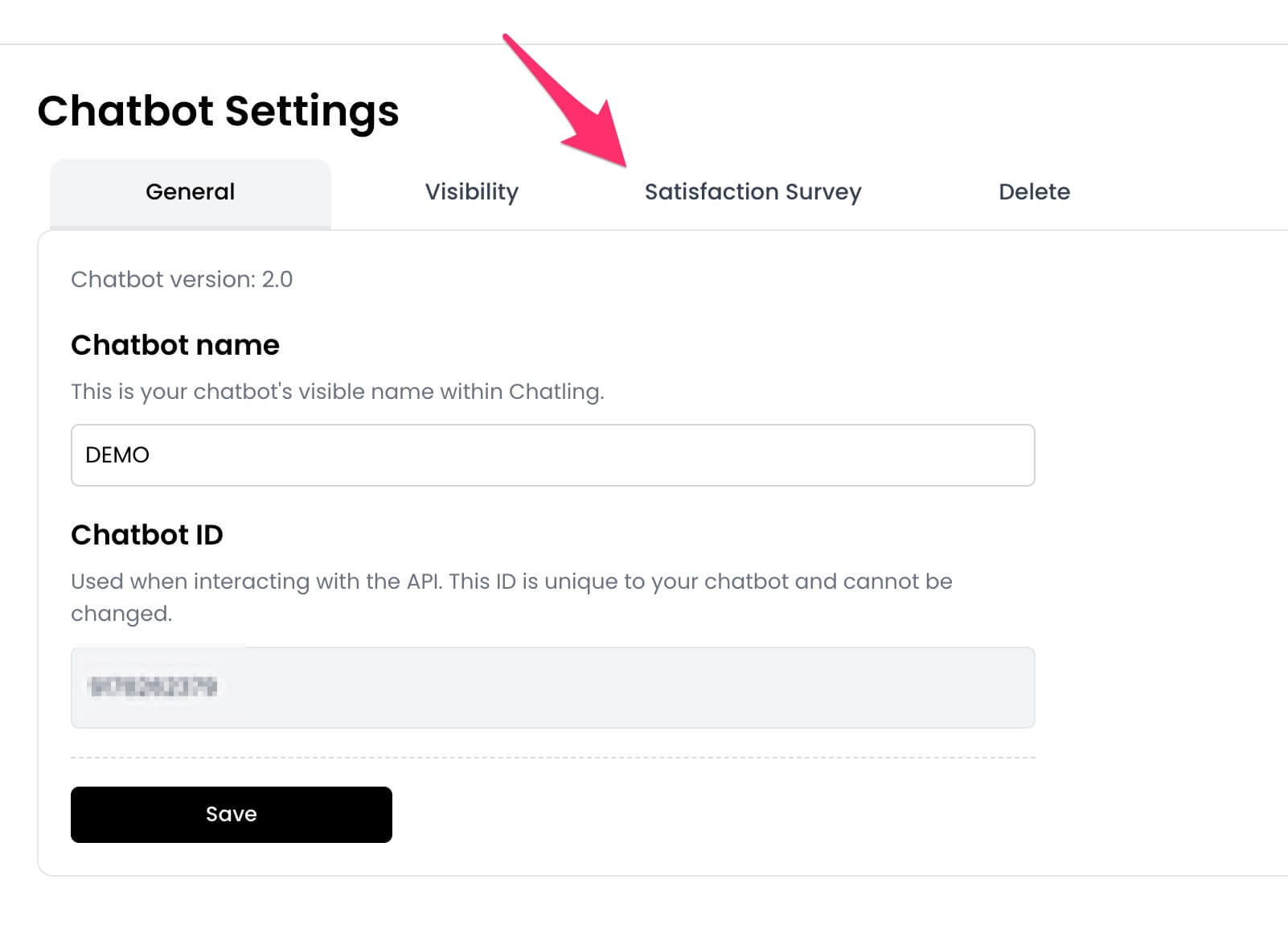
- Click the
Satisfaction Surveytab.
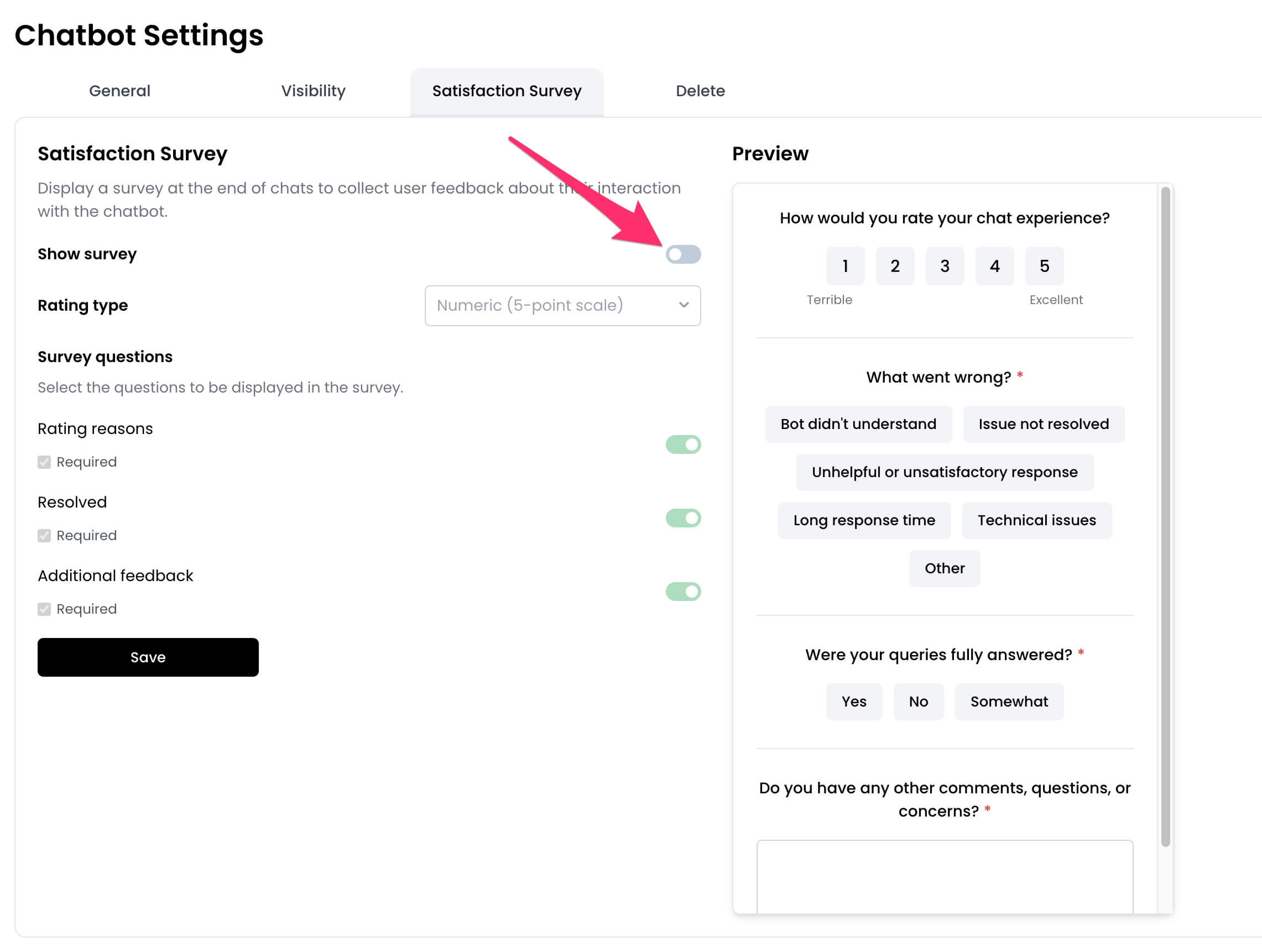
- Toggle on the
Show surveyoption.
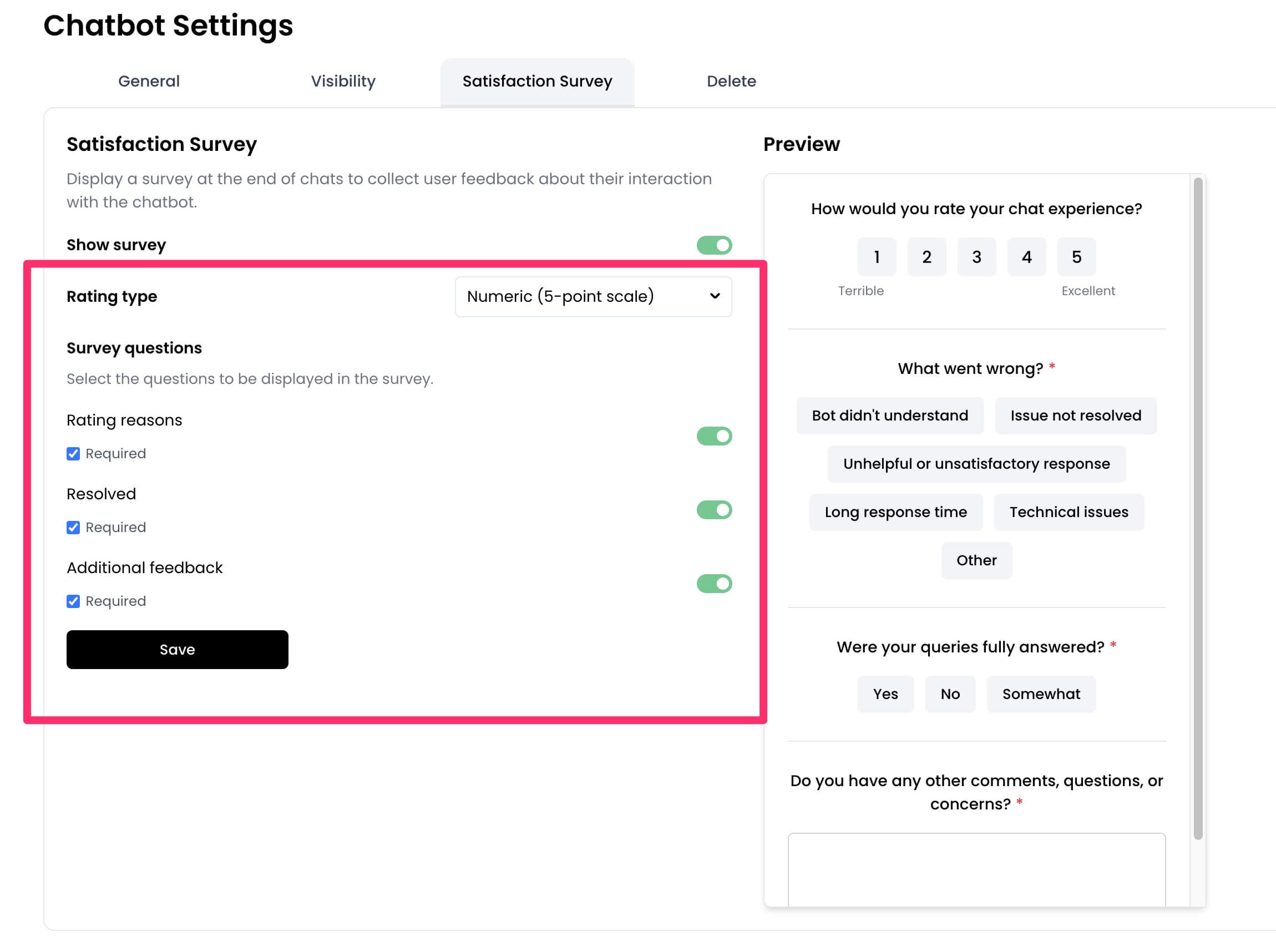
- Customize the survey by selecting the rating type, questions to display, and more.
- Click
Saveto apply the changes.
View survey responses
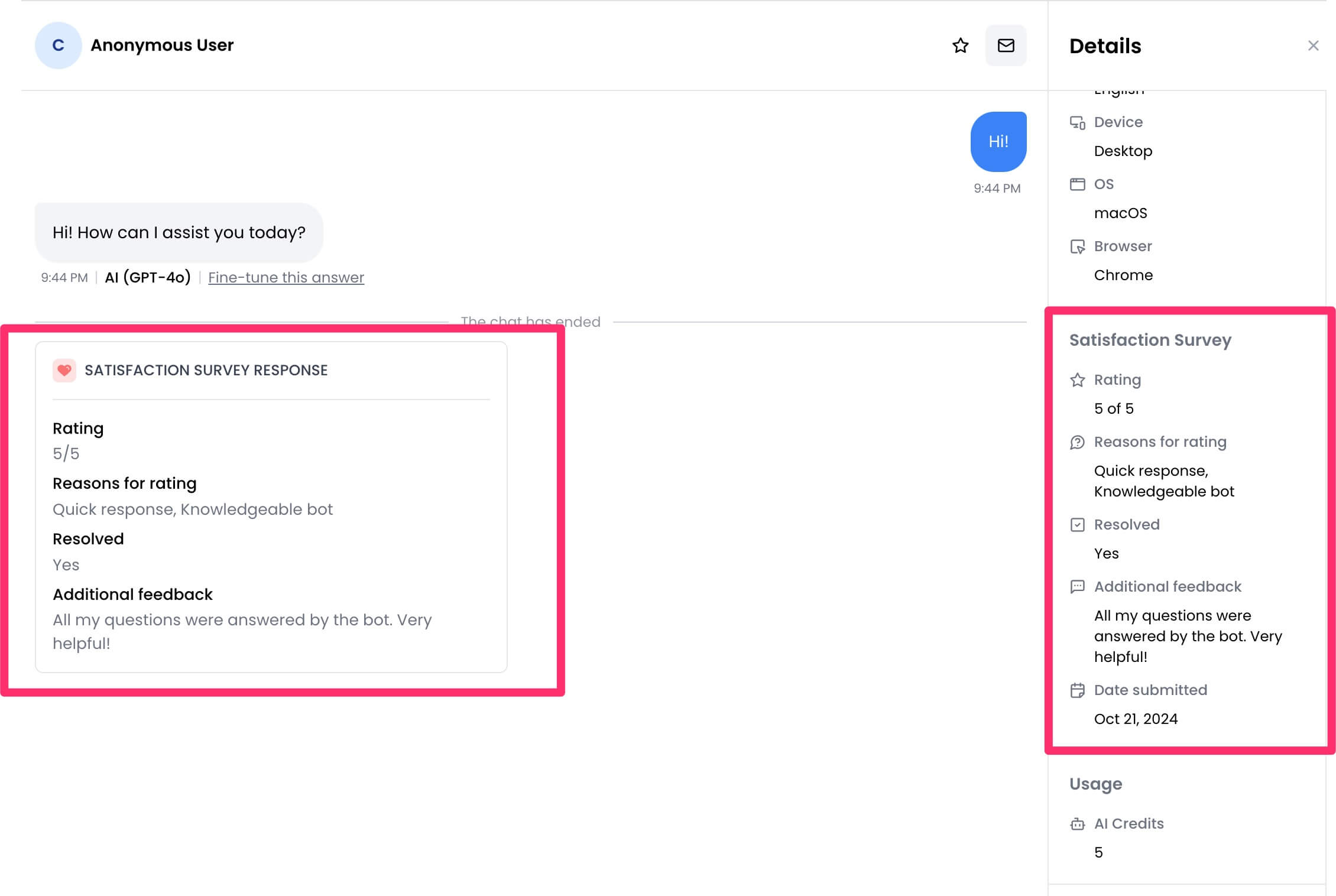
You can view survey responses from theConversations page of your chatbot dashboard. If a conversation has a survey response, the result will appear within the conversation thread as well as on the Details section in the sidebar.