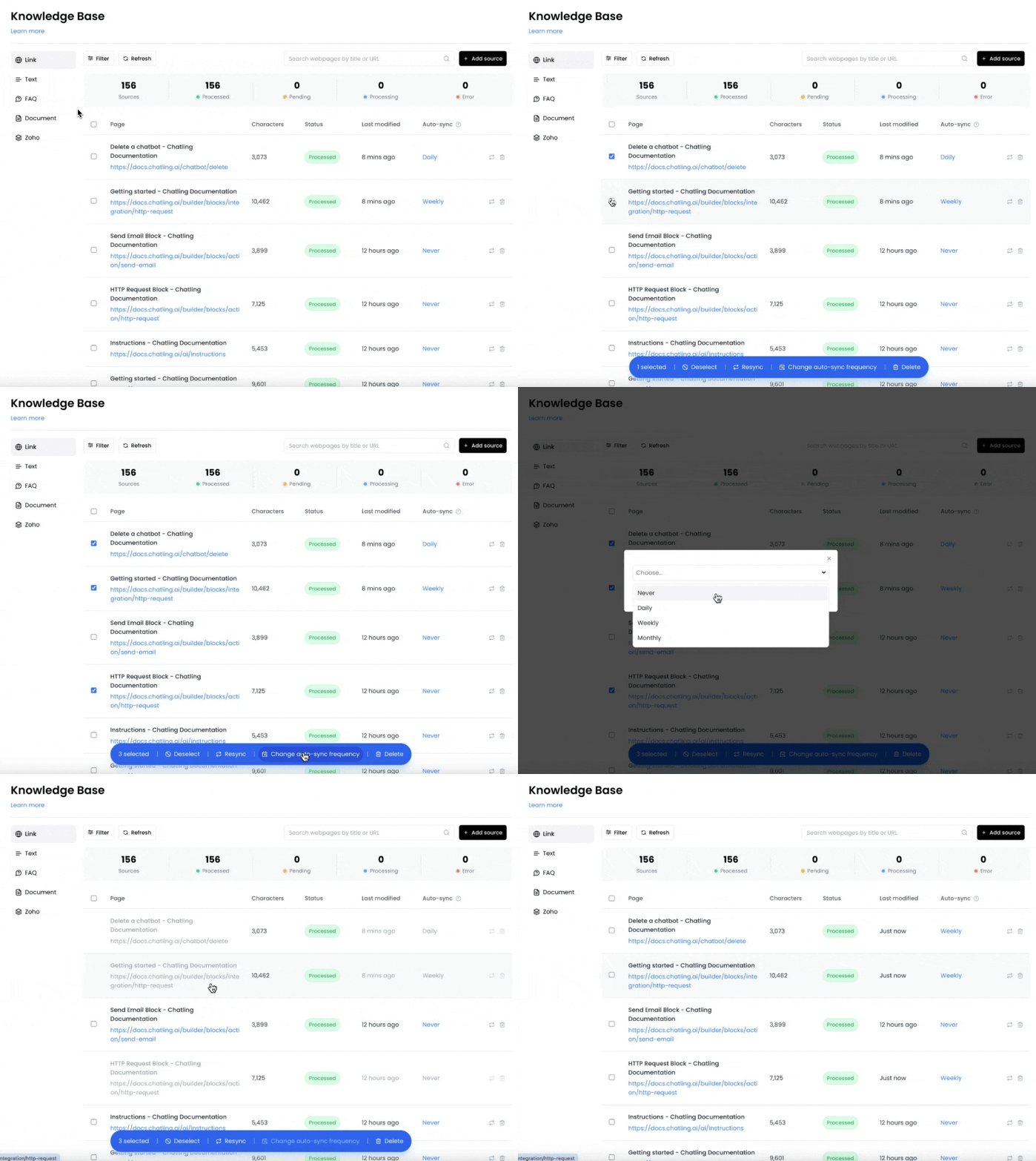
How to enable auto-syncing
- Go to the
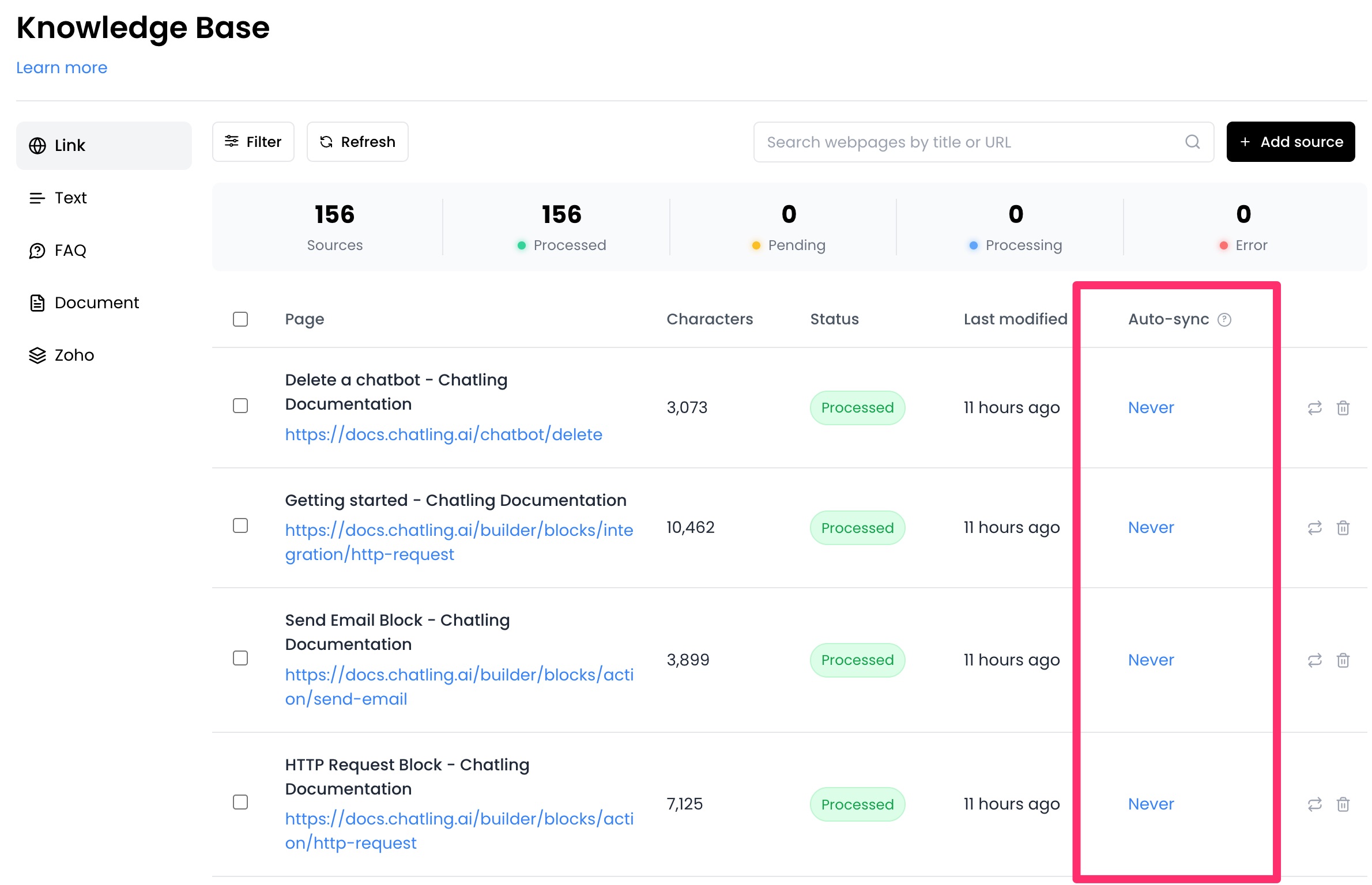
Knowledge Basepage. - From the
Auto-synccolumn, you can select an interval for each data source.
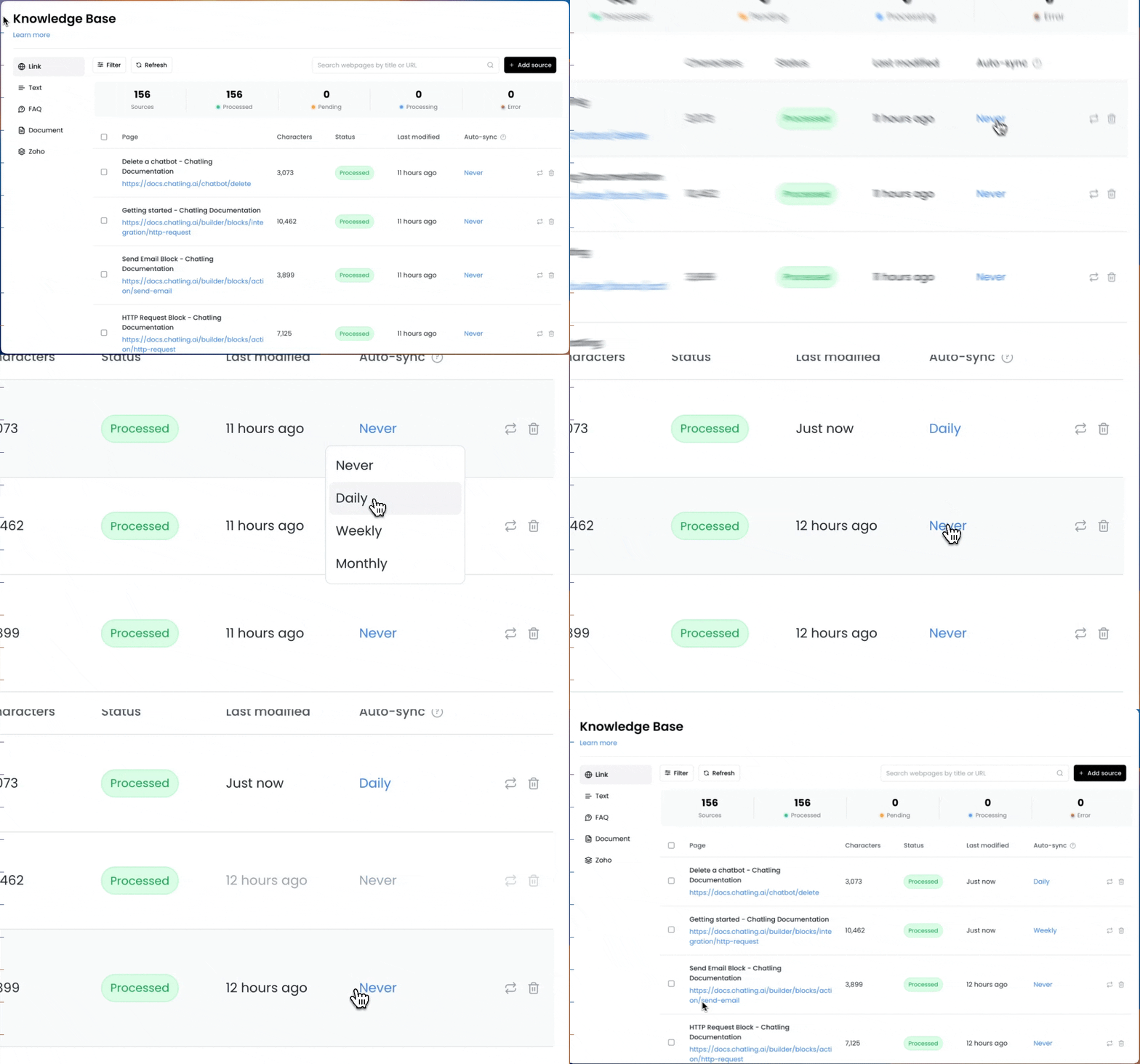
- Click on the auto-sync value for a specific source and choose an interval.
- If you want to enable auto-syncing for multiple sources, you can select the sources and click the
Change auto-sync frequencybutton to update all selected sources at once.