

How to set a custom domain
- Open the chatbot you want to set a custom subdomain for.
- From the menu, click on
Settingsunder theChatbotsection.

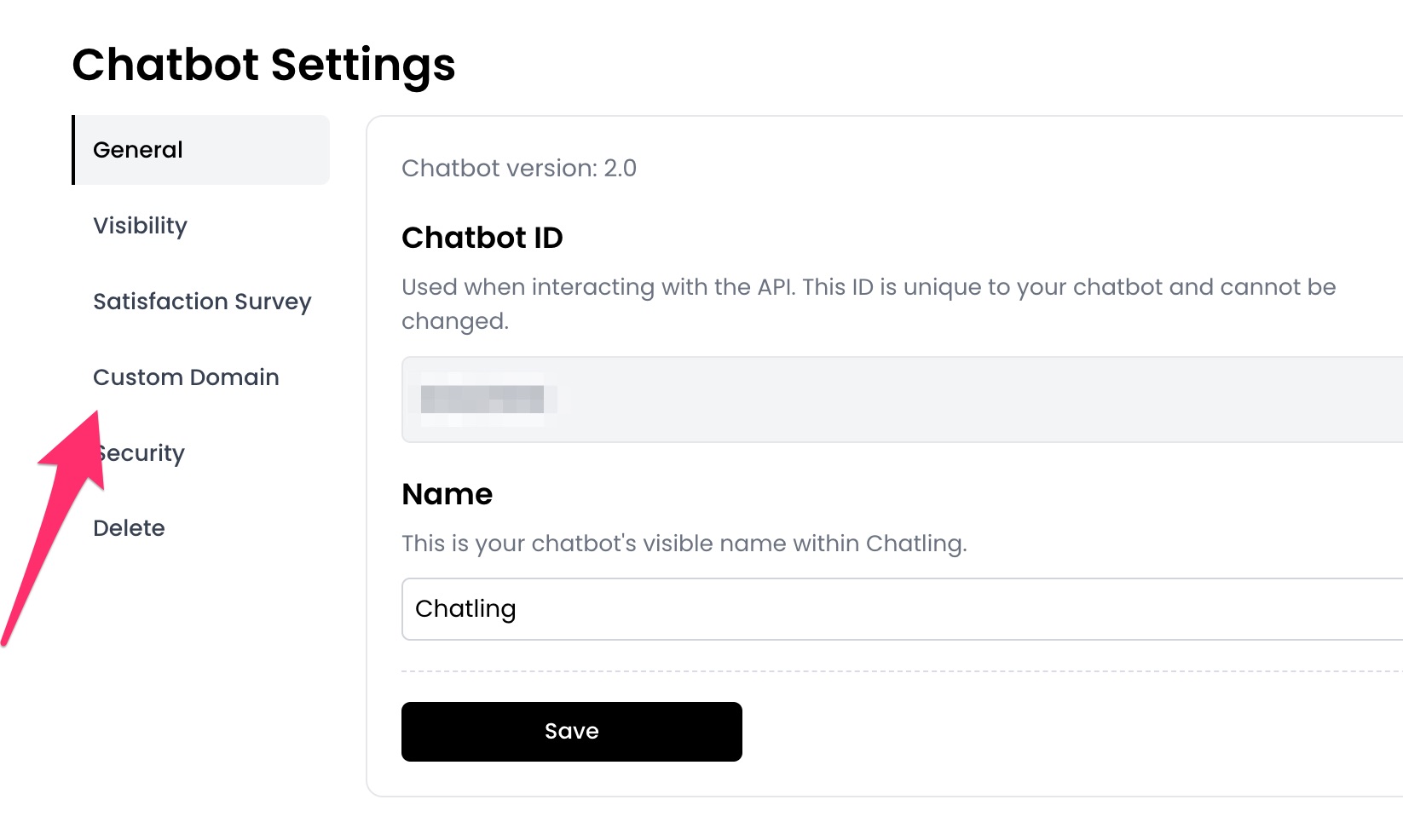
- Go to the
Custom Domaintab.
- Enter the custom domain you want to use for the chatbot, such as
sample.domain.com, and click theSavebutton.

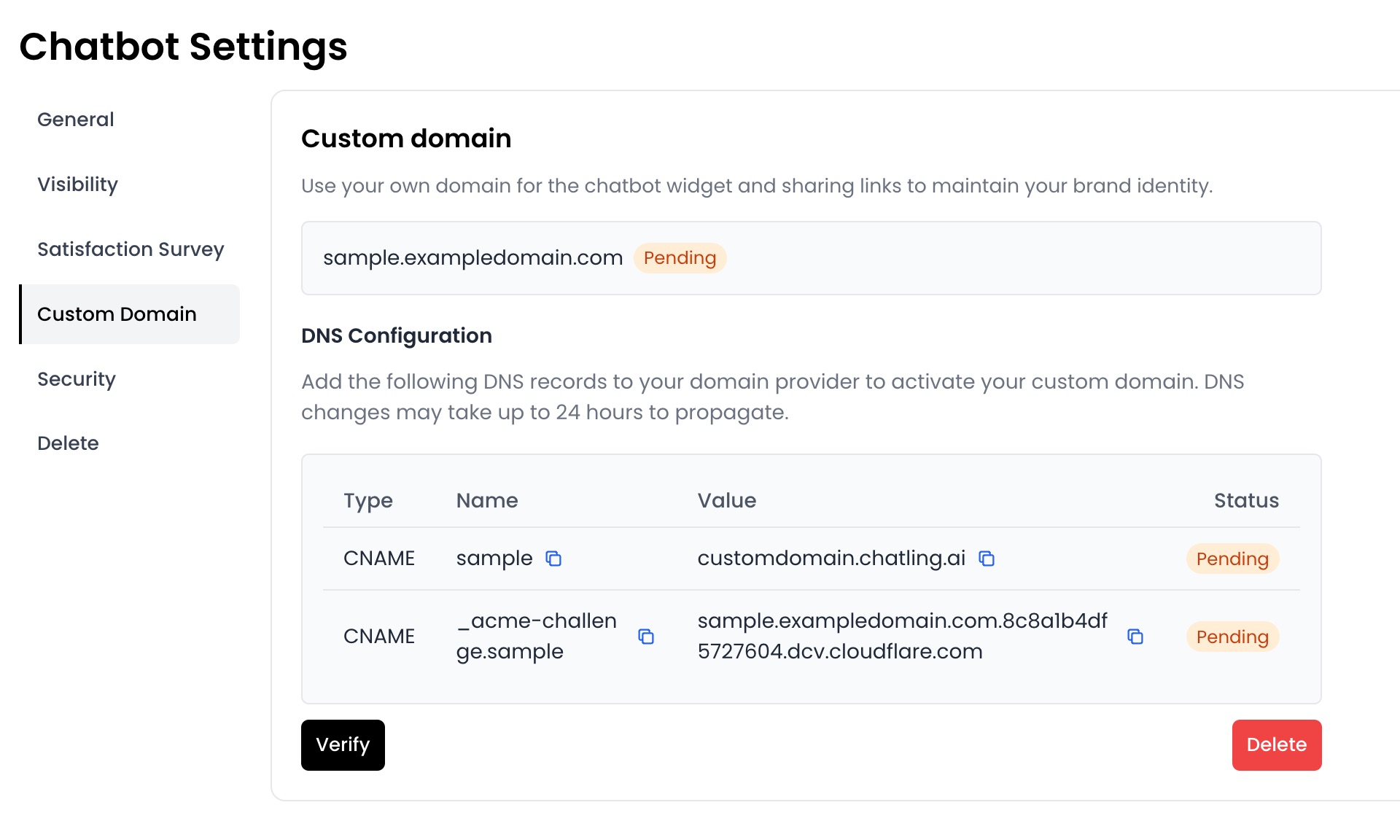
- Add the DNS records displayed on the page to your domain provider to activate the custom domain.
-
Once you add the DNS records, it may take up to 24 hours for the changes to propagate. You can click the
Verifybutton to check if the records are active. -
Once completed and the status is
Active, the chatbot widget and sharing link will use the custom domain.