

Components of a variable condition

- Label: A descriptive label for the condition, which will be displayed in the block on the canvas. This is optional and can be skipped.
- Variable: The variable or value that the block will evaluate. The variable can be a user input, a stored value, or a system variable.
- Comparison operator: The operator that the block will use to compare the variable with the value you specify. You can choose from a list of comparison operators, such as “equals,” “greater than,” “contains,” etc.
- Value: The value that the block will compare with the variable. This can be a static value or a variable for dynamic comparisons.
Examples
1. Real estate bot
In a real estate bot, you can use conditions to check if the user is looking to buy or rent a property and display properties accordingly. You can create two conditions:- Condition 1: User input contains “buy”
- Condition 2: User input contains “rent”
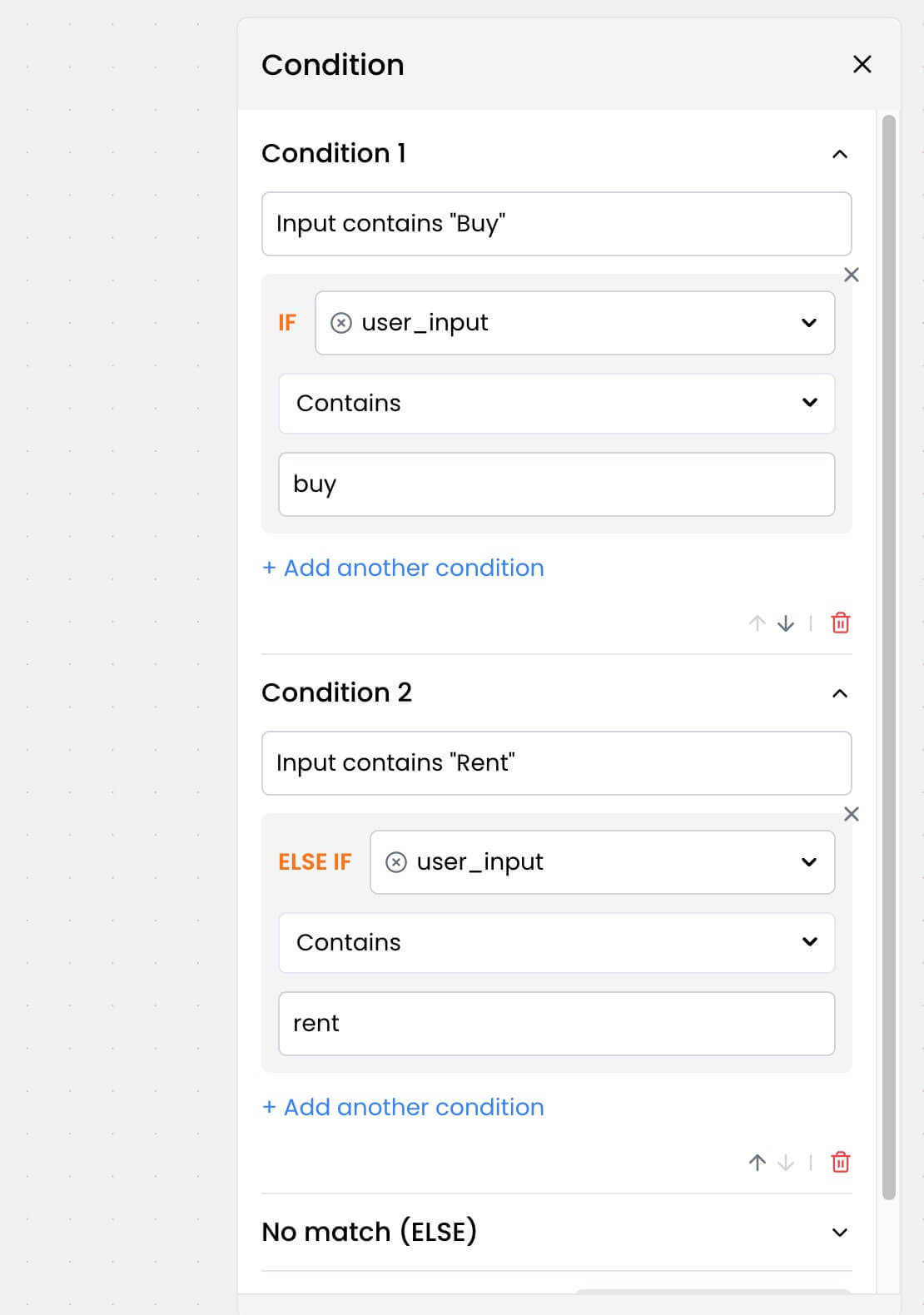 Once you have set up the conditions, you can define the paths for each condition. Here’s an example:
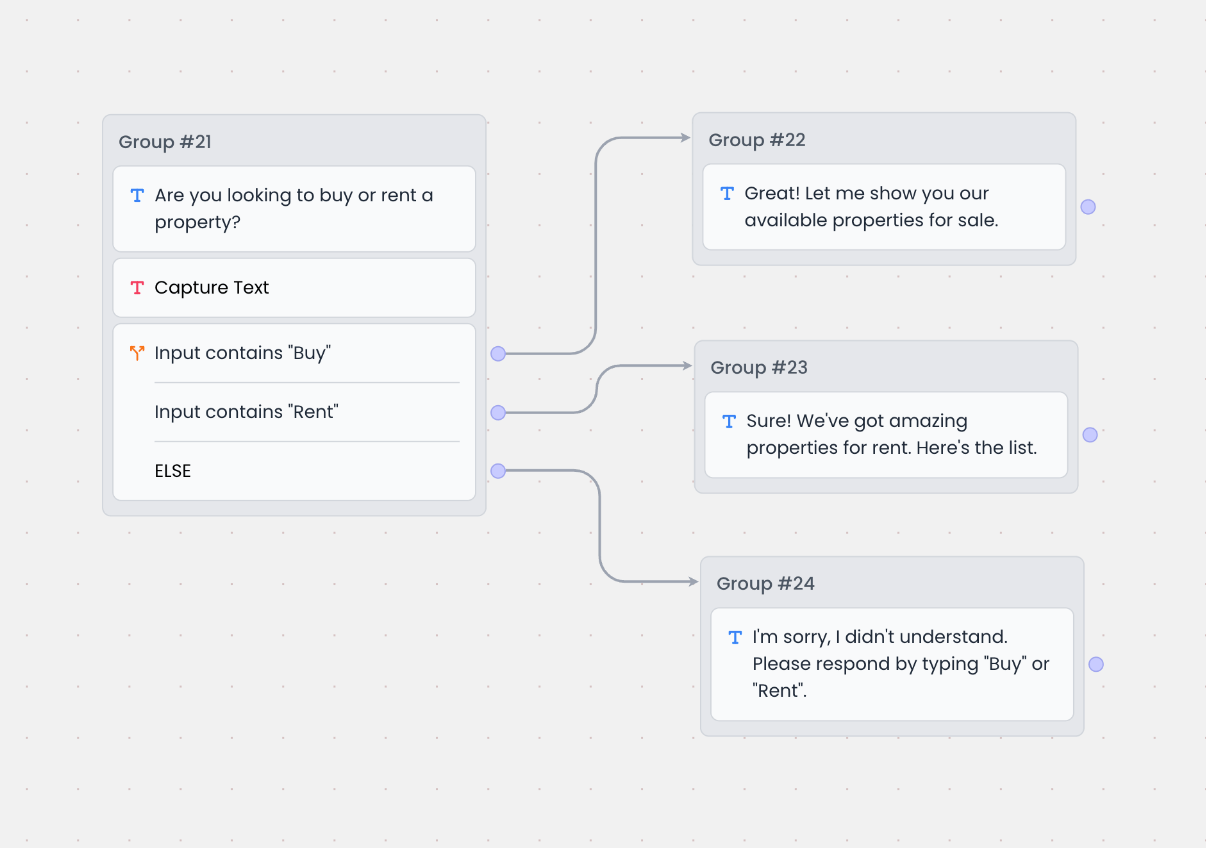 Based on the above, here’s how the bot will respond:
- If the user input contains “buy,” the bot will respond with
Great! Let me show you our available properties for sale. - If the user input contains “rent,” the bot will respond with
Sure! We've got amazing properties for rent. Here's the list. - Else if none of the conditions are met, the bot will respond with
I'm sorry, I didn't understand. Please respond by typing "Buy" or "Rent".
2. Filtering job application candidates
Let’s say a candidate is applying for a job through the bot and you want to qualify them based on the following criteria:- Location: New York
- Willing to relocate: Yes
- Years of experience: 3 or more
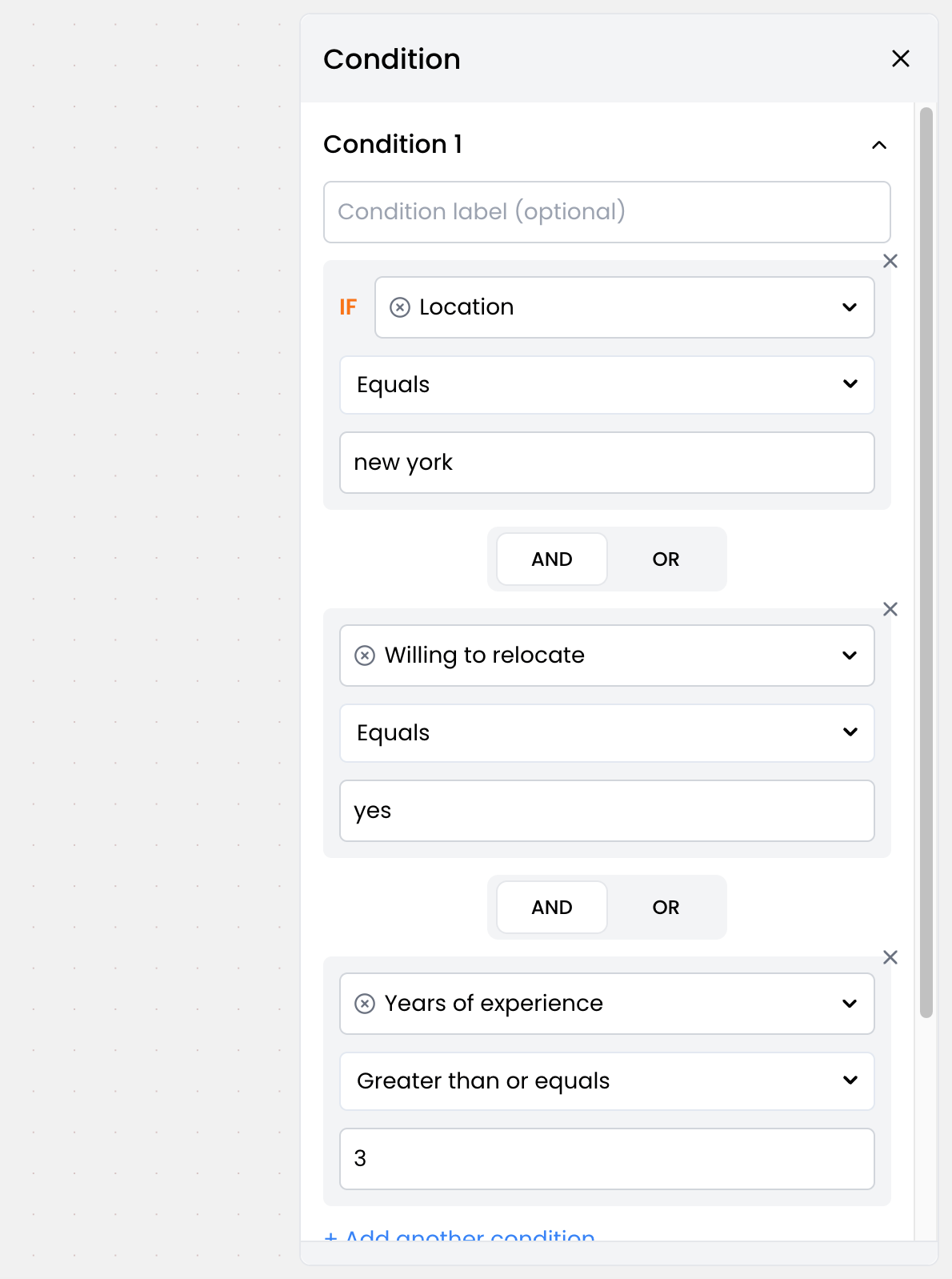 Once you have set up the conditions, you can define the paths for each condition. Here’s an example:
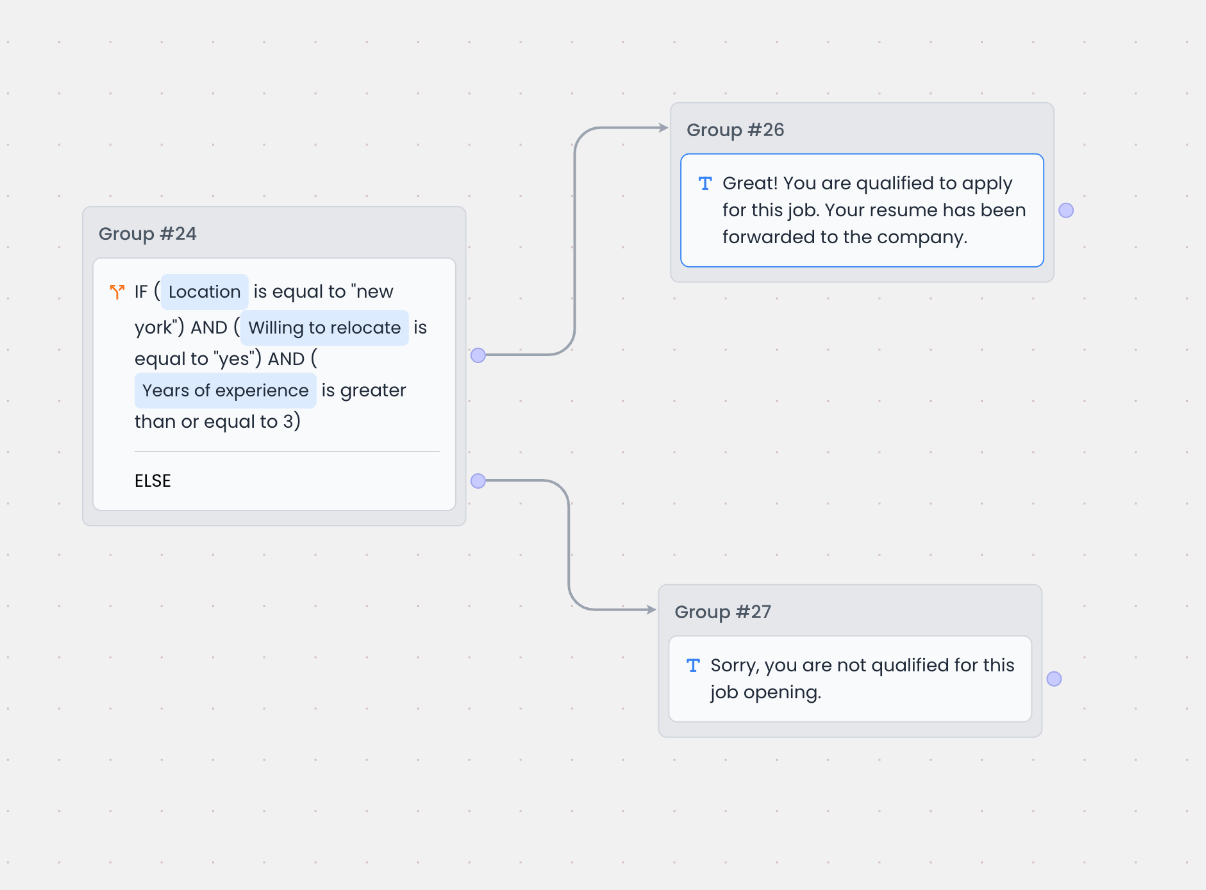 Based on the above, here’s how the bot will respond:
- If the candidate is from New York, willing to relocate, and has 3 or more years of experience, the bot will respond with
Congratulations! You've been shortlisted for the next round of interviews. - Otherwise, the bot will respond with
Sorry, you are not qualified for this job opening. We'll keep your application on file for future opportunities.