> ## Documentation Index
> Fetch the complete documentation index at: https://docs.chatling.ai/llms.txt
> Use this file to discover all available pages before exploring further.
# Customize profile
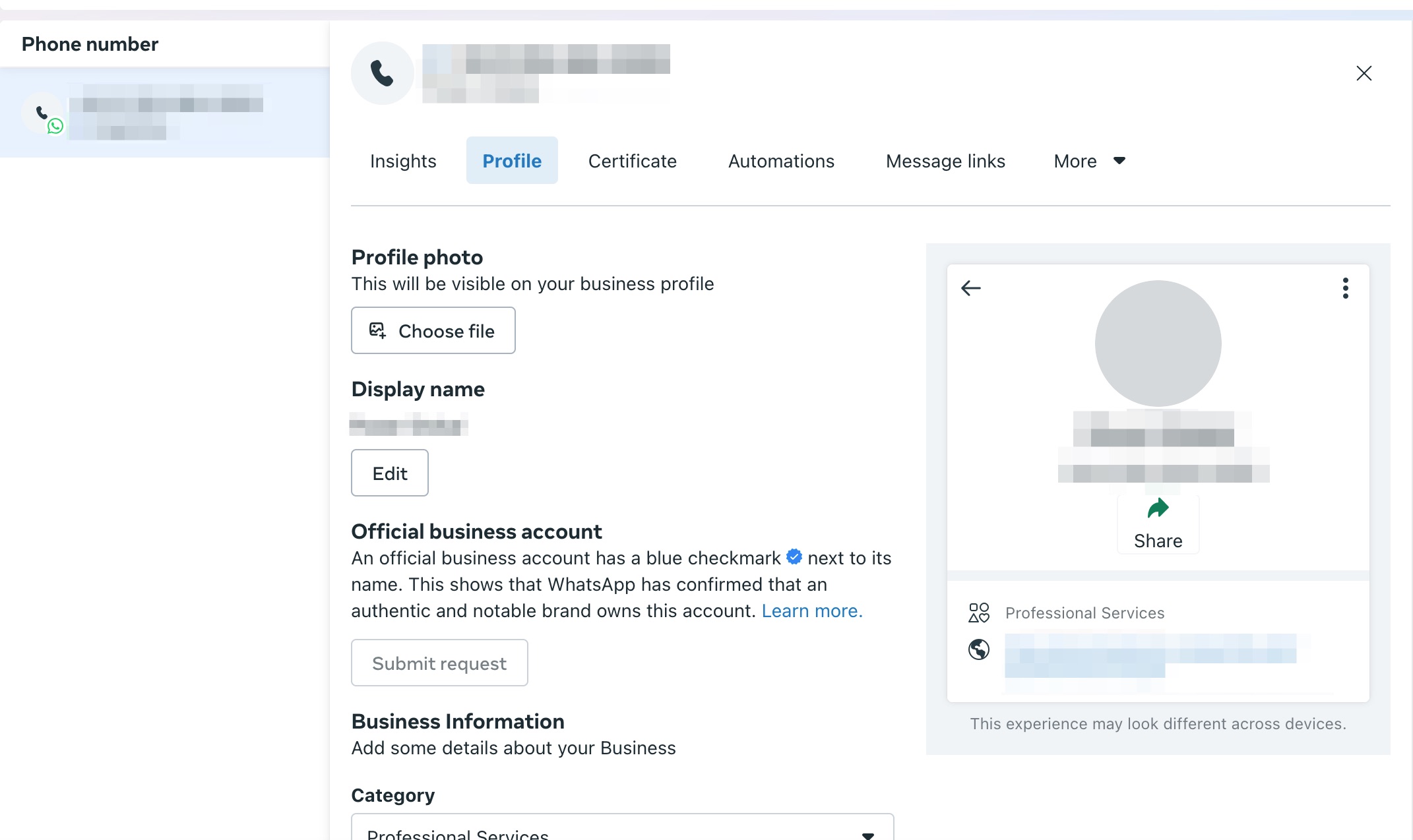
> Learn how to change your profile picture, name, bio, and more.
You can visit the [WhatsApp Manager](https://business.facebook.com/latest/whatsapp_manager) on Facebook to change your profile picture, display name, and business details such as description, address, email, and website.
## How to customize your WhatsApp Business profile
1. Go to the [WhatsApp Manager](https://business.facebook.com/latest/whatsapp_manager) on Facebook.
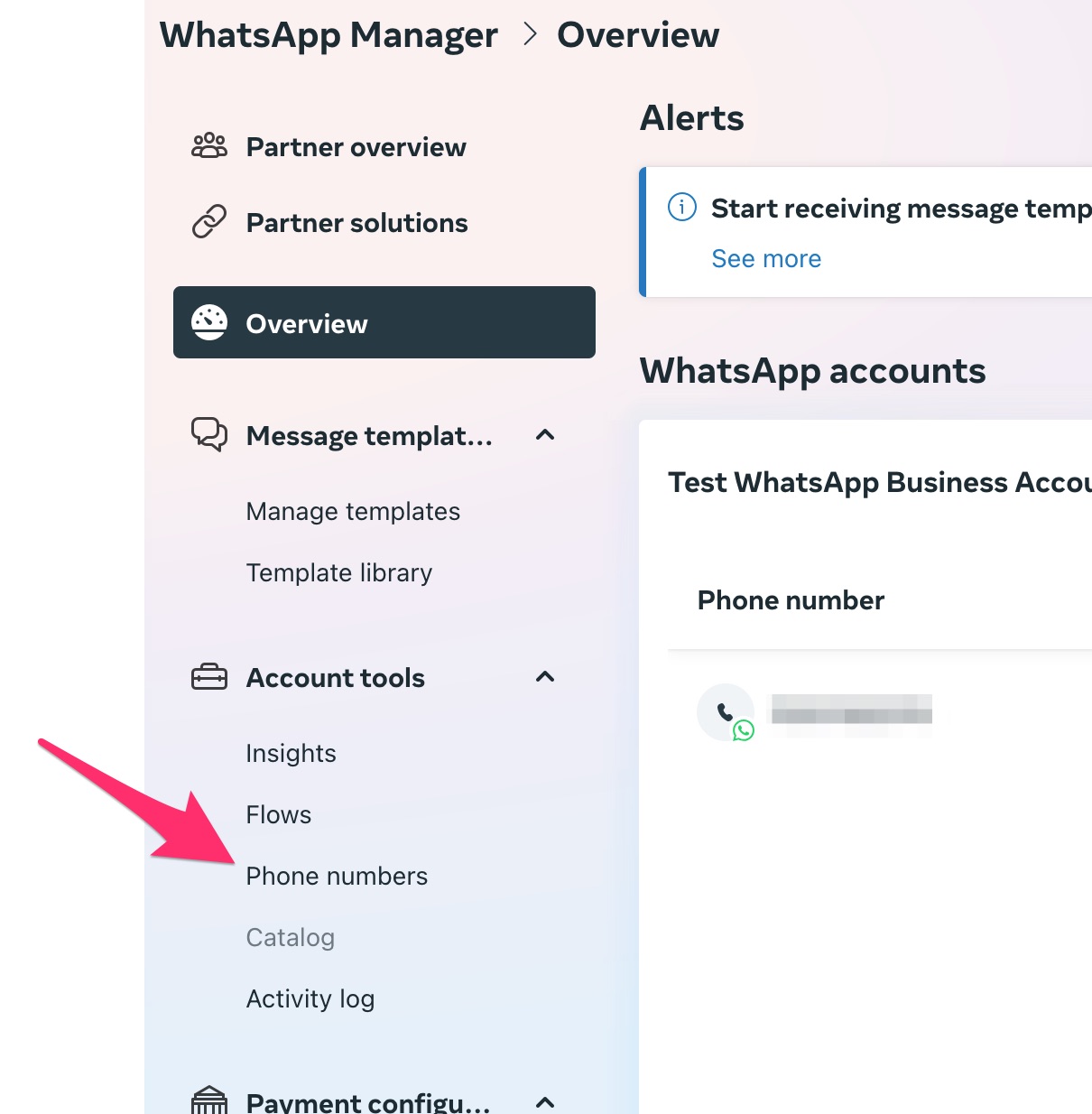
2. From the sidebar, click on the `Phone numbers` tab.
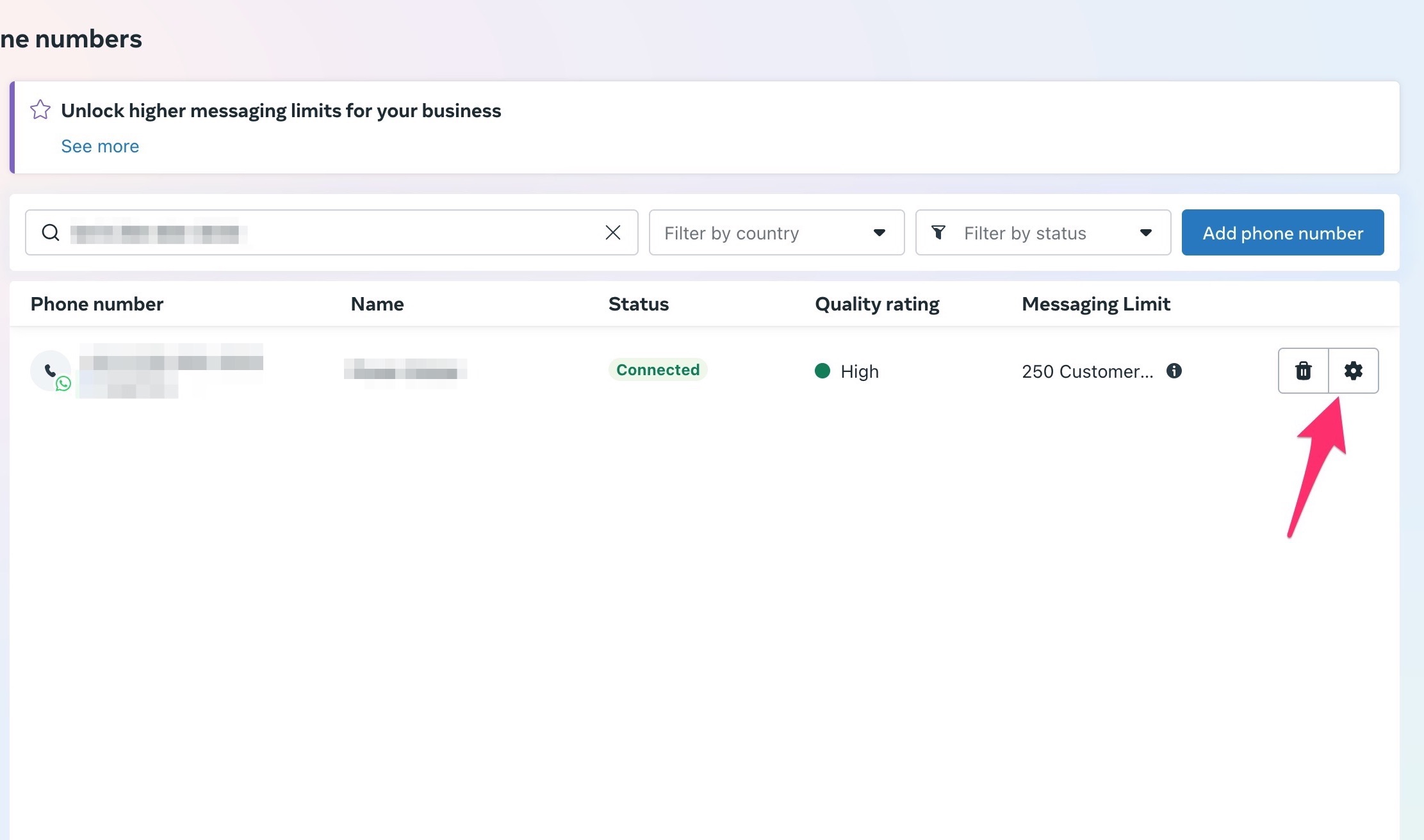
 3. Find your phone number from the list and click on the settings icon next to it.
 4. From here, you can update the profile information for your WhatsApp Business account.