> ## Documentation Index
> Fetch the complete documentation index at: https://docs.chatling.ai/llms.txt
> Use this file to discover all available pages before exploring further.
# Add disclaimer, privacy notice, or custom text to footer
> Learn how to display custom text in the chatbot's footer.
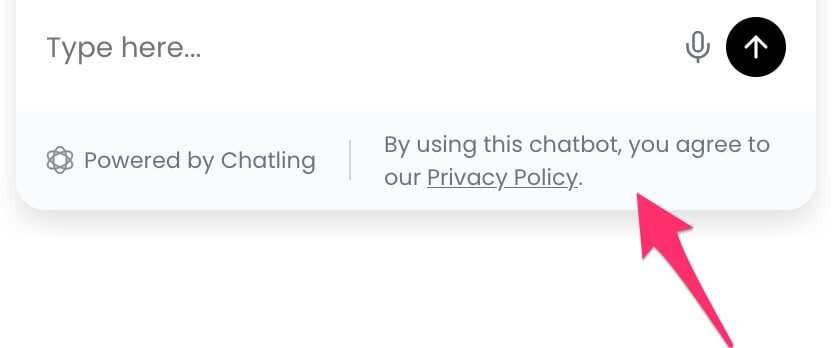 Often times, you may want to display a text in the chatbot's footer, such as a disclaimer, privacy notice, or any other text. Here's how you can do that.
1. Open the `Deploy` page.
Often times, you may want to display a text in the chatbot's footer, such as a disclaimer, privacy notice, or any other text. Here's how you can do that.
1. Open the `Deploy` page.
 2. Under the `Website Widget` option, click the brush icon to open the widget editor.
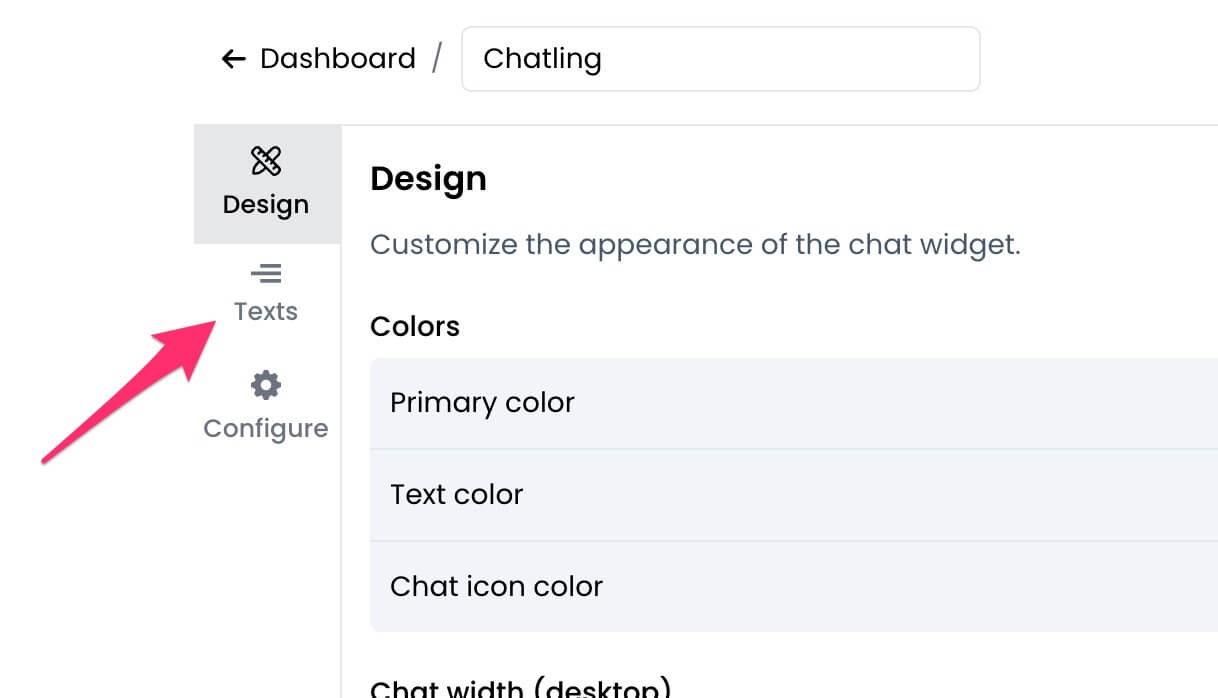
 3. Click on `Texts` from the sidebar.
 4. Under the `Footer` section, you can enter the text you want to display.
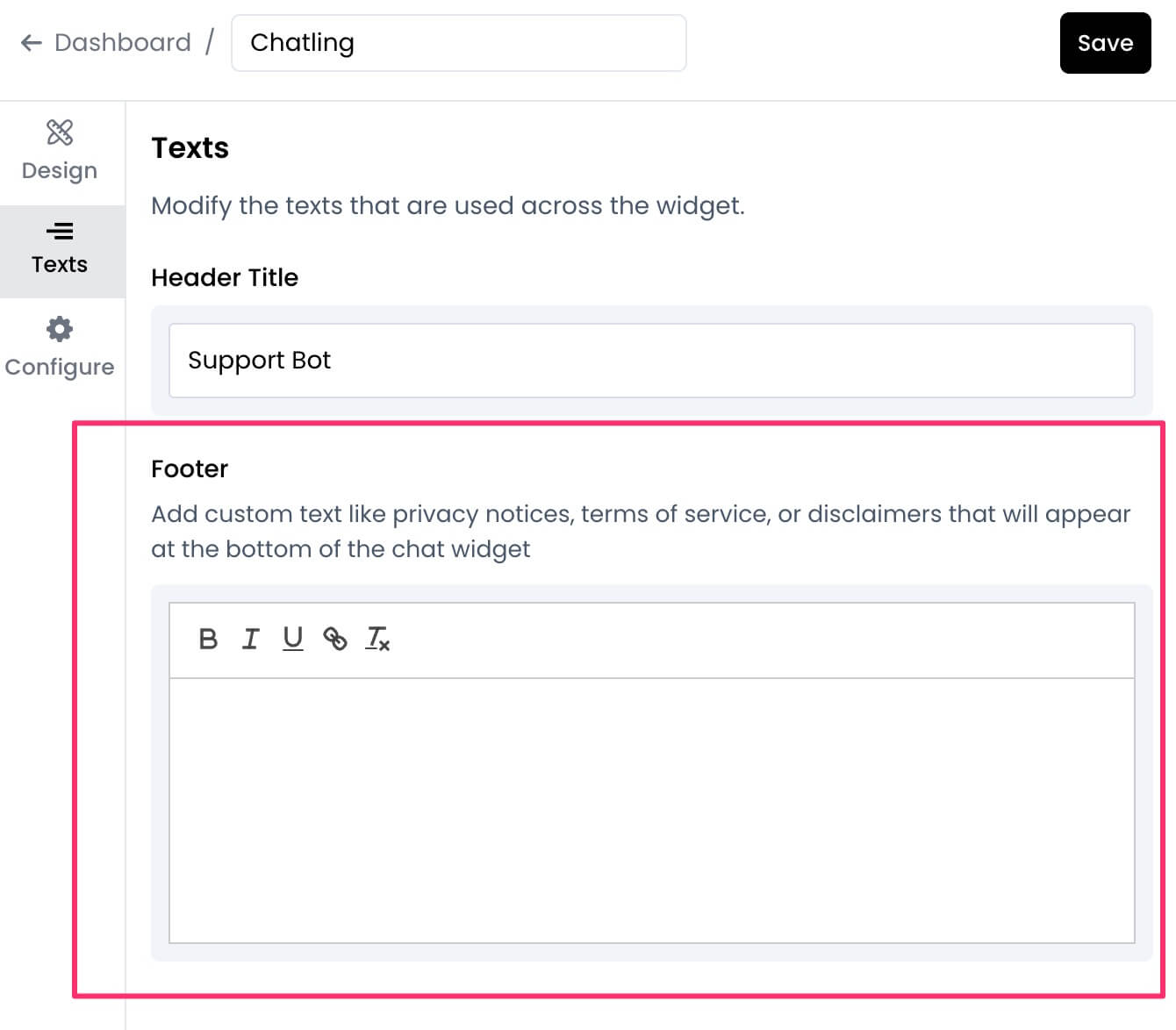 5. Click `Save` to apply the changes.