> ## Documentation Index
> Fetch the complete documentation index at: https://docs.chatling.ai/llms.txt
> Use this file to discover all available pages before exploring further.
# Auto-sync data sources
> Learn how to auto-sync data sources in the Knowledge Base.
Auto-syncing allows you to automatically sync your knowledge base sources at specified intervals, such as daily, weekly, or monthly, to fetch the latest data. This ensures that your knowledge base is always up to date with the latest information.
## How to enable auto-syncing
1. Go to the `Knowledge Base` page.
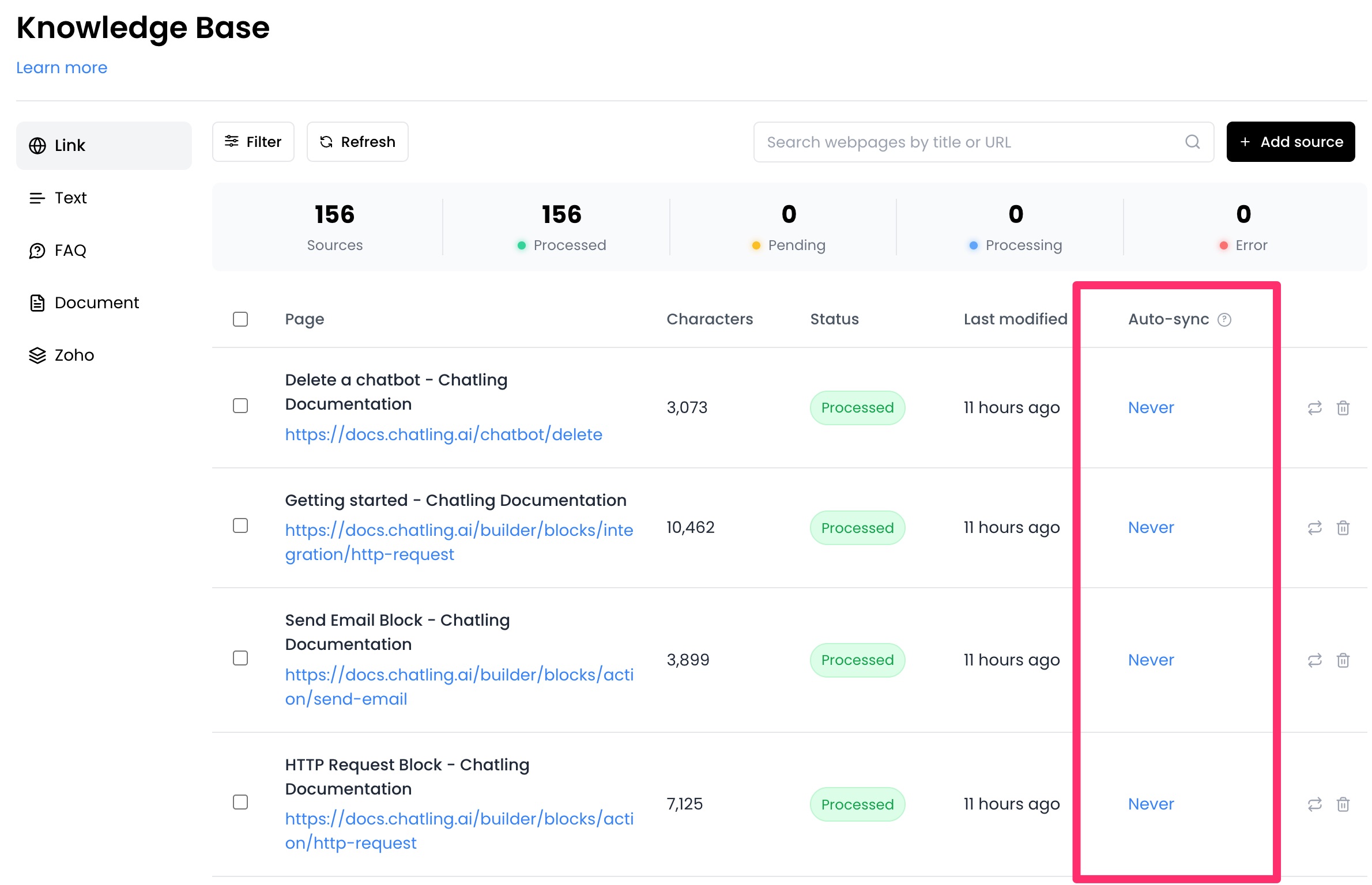
2. From the `Auto-sync` column, you can select an interval for each data source.
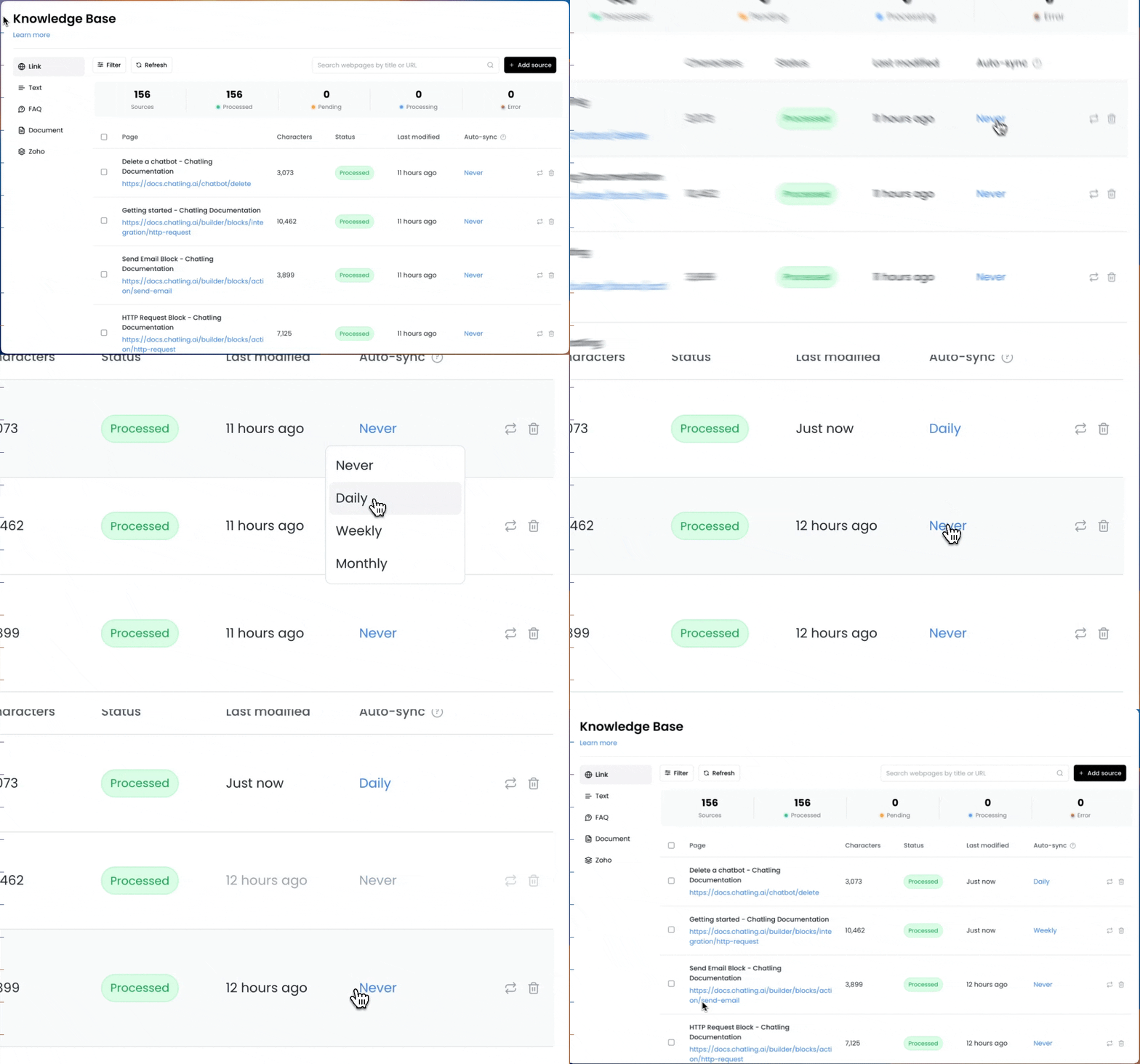
 3. Click on the auto-sync value for a specific source and choose an interval.
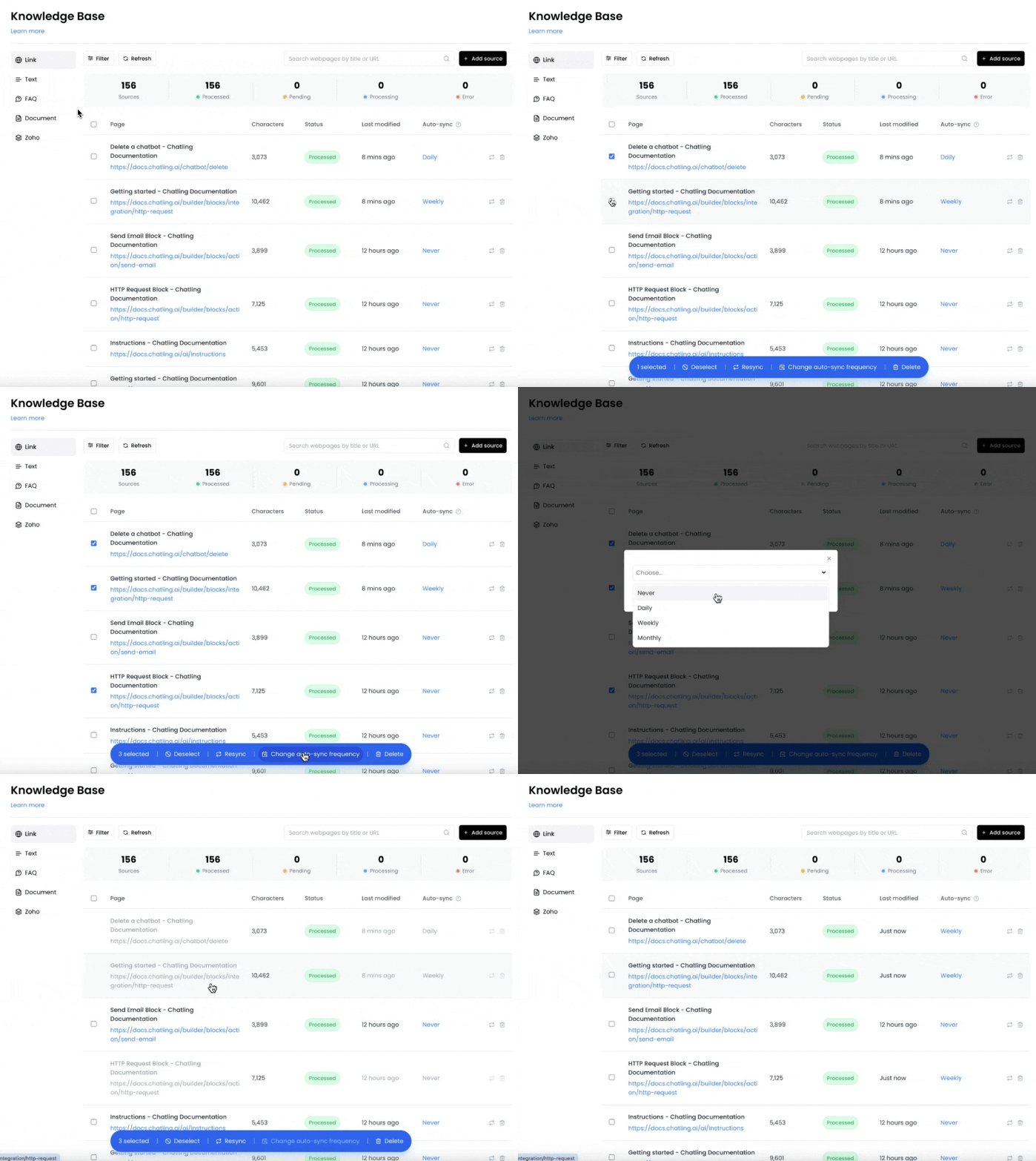
 4. If you want to enable auto-syncing for multiple sources, you can select the sources and click the `Change auto-sync frequency` button to update all selected sources at once.