> ## Documentation Index
> Fetch the complete documentation index at: https://docs.chatling.ai/llms.txt
> Use this file to discover all available pages before exploring further.
# How to reset the chat on page load?
By default, chat history is retained when users navigate away from the chatbot and return to it, refresh the page, or go to a different page. This means that when users return to the chatbot, they can see their existing chat and continue from where they left off.
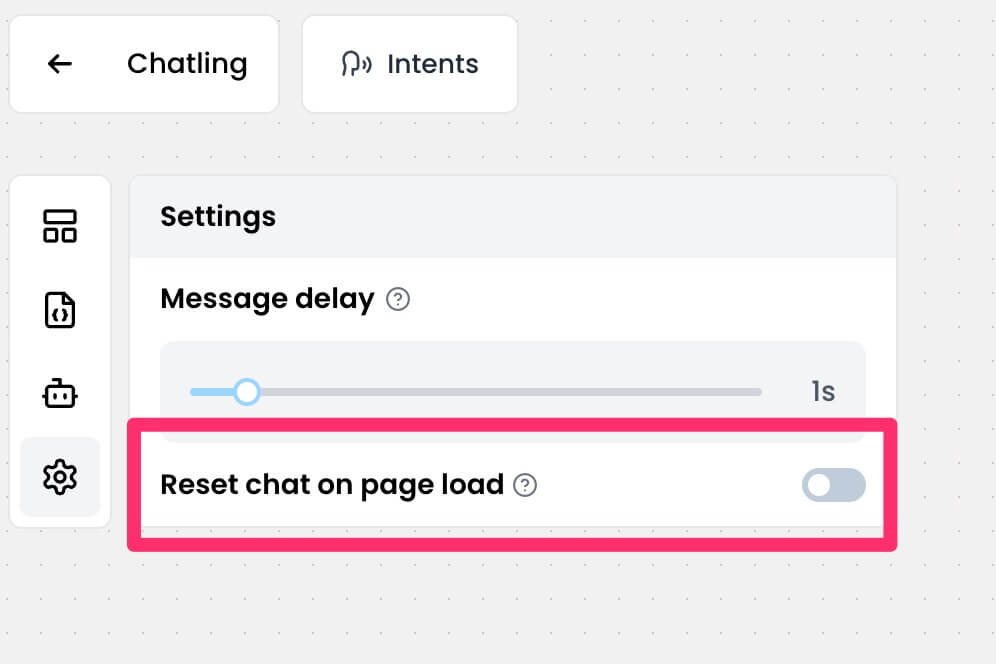
If you want to disable this so that the chat is reset on page load, you can do so by following these steps:
1. From your chatbot dashboard, go to `Builder`.
 2. Click the settings icon in the sidebar.
 3. Enable the the `Reset chat on page load` option.