> ## Documentation Index
> Fetch the complete documentation index at: https://docs.chatling.ai/llms.txt
> Use this file to discover all available pages before exploring further.
# How to delete your account
> Learn how to permanently delete your Chatling account and data.
You can permanently delete your Chatling account from your account settings.
**Account deletion is permanent** and cannot be reversed. All projects you own—including their AI agents, chatbots, and associated data—will be permanently deleted.
Any active subscriptions on projects you own will be automatically canceled and will not renew. However, we recommend canceling them manually from the Billing page before deleting your account.
## Delete your account
1. Click your profile picture in the bottom of the sidebar menu and select `Account settings`.
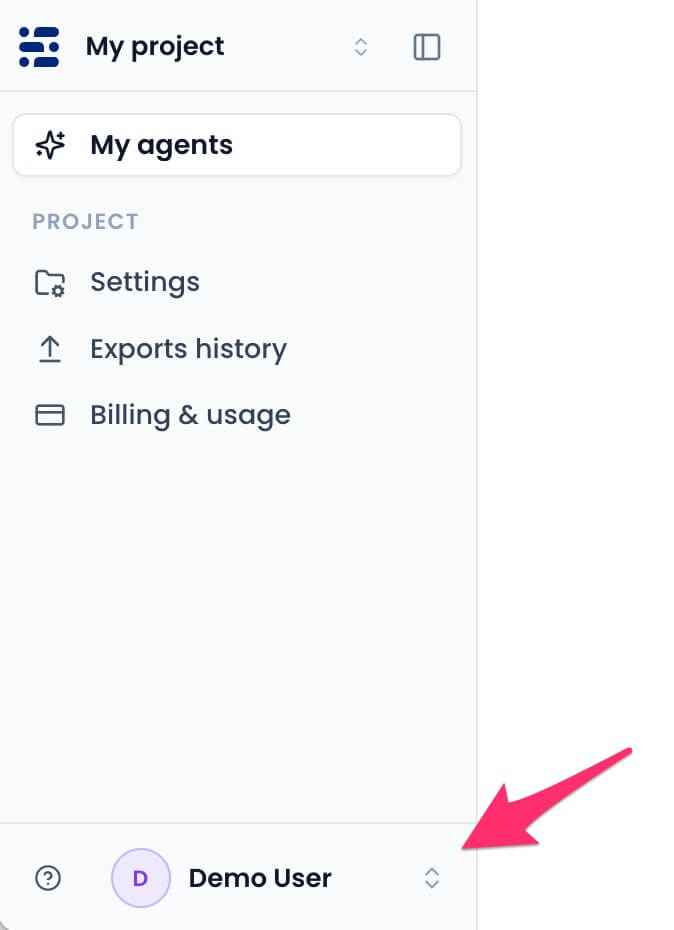 2. Select the `Delete account` tab.
 3. Click `Delete account permanently`.
 4. Enter the confirmation phrase and your current password.
 Your access ends immediately. Projects you own, their chatbots, and associated data are permanently deleted. Active subscriptions are canceled and will not renew.